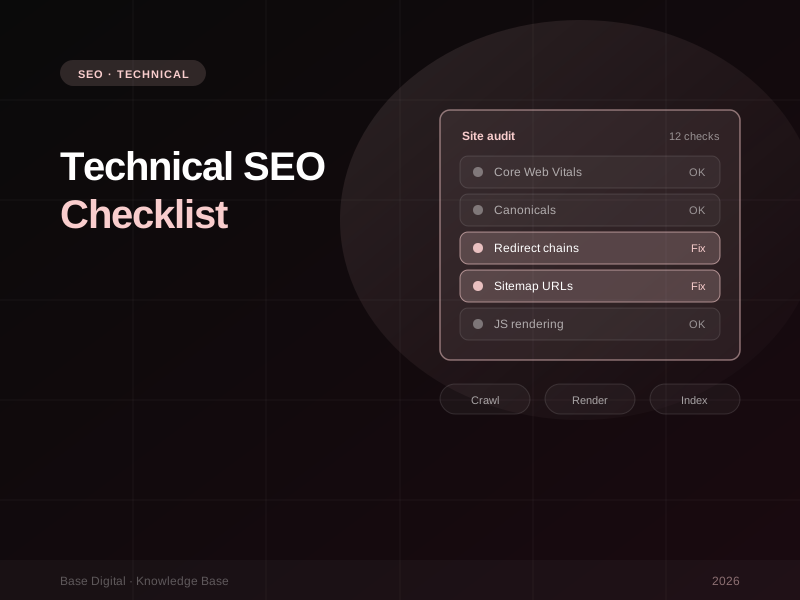
Great content and strong links can only do so much if search engines struggle to crawl, render and understand your site. Technical SEO is the plumbing underneath everything else: when it isn't working, rankings stall for reasons that never show up in a keyword report.
This is the checklist we work through when a site underperforms its content. For each of the 12 issues: what it is, how to spot it and how to fix it. Most can be diagnosed with Google Search Console, the Rich Results Test and a desktop crawler.
AI search tools rely on crawlers too. A fast, clean, easily parsed site is easier for Google's AI features and other AI assistants to read and cite. Technical SEO is now part of the foundation for visibility in AI search.
Performance and experience
1. Poor Core Web Vitals on mobile
What it is. Google's three Core Web Vitals measure real-world page experience: Largest Contentful Paint (LCP) for loading, Interaction to Next Paint (INP) for responsiveness, and Cumulative Layout Shift (CLS) for visual stability. INP replaced First Input Delay (FID) in March 2024, so any tool still reporting FID is out of date.
How to spot it. Open the Core Web Vitals report in Search Console and start with mobile. Google's thresholds for a "good" rating are an LCP of 2.5 seconds or less, INP of 200 milliseconds or less and CLS of 0.1 or less, measured at the 75th percentile of real visits.
How to fix it. For LCP, compress and properly size hero images, preload the main image, and cut render-blocking scripts and fonts. For INP, reduce heavy JavaScript, break up long tasks and audit third-party tags such as chat widgets and tracking scripts. For CLS, set dimensions on images and embeds and reserve space for banners.
2. HTTPS gaps and mixed content
What it is. Your site loads over HTTPS, but some pages still pull images, scripts or stylesheets over plain HTTP. Browsers may block them or flag the page as insecure.
How to spot it. Crawl the site and filter for HTTP resources on HTTPS pages, or open the browser console on key templates and look for mixed-content warnings.
How to fix it. Update hard-coded HTTP references in templates and the CMS database, force HTTPS at the server or CDN, and make sure every HTTP and non-www variant redirects to a single HTTPS version.
Crawling and indexing
3. Duplicate content and missing canonicals
What it is. The same content is reachable at multiple URLs: tracking parameters, trailing slash variations, print versions, or products listed under several categories. Google has to guess which to show.
How to spot it. In the Pages (page indexing) report, look for "Duplicate without user-selected canonical" and "Duplicate, Google chose different canonical than user". Use URL Inspection on key pages to see which canonical Google has actually selected.
How to fix it. Add a self-referencing canonical tag to every indexable page, and point duplicates to the preferred version. Back that up with consistent internal links, because Google treats canonicals as a signal, not an instruction. Redirect duplicates that have no reason to exist.
4. Crawl waste from faceted navigation
What it is. Filters for size, colour, price and sort order can generate thousands of near-identical URLs. Crawlers spend time on combinations nobody searches for while important pages are crawled less often.
How to spot it. Check the Crawl stats report (under Settings in Search Console) and your server logs. If crawlers spend much of their time on parameterised filter URLs, you have crawl waste. A large "Discovered – currently not indexed" count is another clue.
How to fix it. Decide which filtered pages genuinely deserve to rank, such as "women's running shoes", and give those clean, static URLs. For the rest, avoid creating crawlable links to every combination, use robots.txt to block parameter patterns you never want crawled, and canonicalise filtered views back to the main category. Our guide to eCommerce SEO covers category architecture in more depth.
5. Thin or auto-generated pages in the index
What it is. Tag archives, empty categories, internal search results, location pages with swapped-out suburb names, or old pages with a sentence or two of content. They dilute your site's overall quality signals.
How to spot it. Compare indexed pages in Search Console with the number of pages you'd actually want someone to land on, and check which indexed pages have earned no clicks over a long period.
How to fix it. For each thin page, choose one of three paths: improve it so it's genuinely useful, consolidate it into a stronger page with a redirect, or add a noindex tag and remove it from internal linking.
6. An XML sitemap full of the wrong URLs
What it is. Your sitemap is meant to be a clean list of the pages you want indexed. Auto-generated sitemaps often list redirected, non-canonical, noindexed or broken URLs, which sends Google mixed signals.
How to spot it. Check the Sitemaps report in Search Console, then crawl the sitemap URLs directly. Every listed URL should return a 200 status, be indexable and be its own canonical.
How to fix it. Configure your CMS or SEO plugin to exclude noindexed, redirected and duplicate URLs. On larger sites, split sitemaps by content type so you can see indexing rates for each.
7. JavaScript-rendered content that isn't indexed
What it is. On sites built with JavaScript frameworks, key content, links or metadata may only appear after scripts run in the browser. Google can render JavaScript, but rendering can be delayed or fail, and many other crawlers, including some AI crawlers, don't execute JavaScript at all.
How to spot it. Use the URL Inspection tool in Search Console, run a live test, and view the rendered HTML and screenshot. If your main copy, product details or internal links are missing, Google isn't seeing them.
How to fix it. Use server-side rendering or static generation for content that needs to rank. Make sure links are real <a href> elements, not click handlers, and that titles, canonicals and structured data are in the initial HTML.
"If a crawler can't reach it, render it or understand it, it doesn't matter how good the page is."
Site structure and links
8. Orphaned pages
What it is. Pages with no internal links pointing to them, so search engines treat them as unimportant.
How to spot it. Compare URLs from your sitemap, analytics and Search Console against those a crawler finds by following links from the homepage. Anything missing from the crawl is orphaned.
How to fix it. If the page matters, link to it from relevant hubs, category pages and related articles. If it doesn't, consolidate or retire it.
9. Weak internal linking to priority pages
What it is. Your most important pages, such as core services or best-selling categories, sit several clicks deep or are linked only from the menu. Internal links tell Google what matters most.
How to spot it. Open the Links report in Search Console and review "Top linked pages" under internal links. If your priority pages aren't near the top, your structure is working against you.
How to fix it. Link to priority pages from related articles and supporting pages using descriptive anchor text. Keep important pages within a few clicks of the homepage.
10. Redirect chains and loops
What it is. URL A redirects to B, which redirects to C, and sometimes back again. Each hop slows users and wastes crawl requests. Chains usually pile up after migrations.
How to spot it. Crawl the site and filter for redirect chains and loops, then check internal links that point at redirecting URLs.
How to fix it. Update every redirect to point directly at the final destination, and update internal links so they point to the final URL rather than relying on redirects at all.
Planning a redesign or platform move? Most of the issues on this list are introduced during migrations. Map every old URL to its new home, test redirects before launch, and check the Pages report daily for the first few weeks afterwards.
Markup and international
11. Broken or invalid structured data
What it is. Schema markup helps search engines understand your products, articles, organisation, reviews and FAQs, and makes pages eligible for rich results. Errors, missing required properties or markup that doesn't match the page can make it ineligible.
How to spot it. Run key templates through Google's Rich Results Test, and check the enhancement reports in Search Console for errors and warnings across the whole site.
How to fix it. Fix errors at the template level rather than page by page. Only mark up content that's visible on the page, keep prices and availability in sync with what users see, and retest after every theme or plugin update.
12. Missing or broken hreflang on multi-region sites
What it is. If you run separate versions for Australia, New Zealand, the UK or the US, hreflang tells Google which version to show in each market. Without it, the wrong country version can rank, or similar regional pages can be treated as duplicates.
How to spot it. Crawl the site to check for missing return tags, incorrect language-region codes (such as "en-au", not "en-AUS") and hreflang pointing at redirected or non-canonical URLs.
How to fix it. Every regional version should reference itself and all its alternates, and every reference must be reciprocated. Point hreflang only at indexable, canonical URLs, and add an x-default for visitors outside your target markets.
How to prioritise
Start with anything stopping important pages being crawled or indexed (rendering, canonicals, sitemaps and crawl waste), because nothing else matters if pages aren't in the index. Then move to structure and links, then performance and markup. Re-check Search Console after each change to see what moved.
The bottom line
Technical SEO isn't glamorous, but it decides whether the rest of your SEO investment pays off. A site that's fast, consistent and easy to crawl gives search engines and AI tools every reason to understand and surface your content.
Not sure where to start? Our practical guide to Google Search Console shows you where most of these issues surface, or talk to us about a technical SEO audit.