Google Analytics 4 gives you more data than almost any business can use. That's part of the problem. Open a property for the first time and you're greeted by dozens of reports, hundreds of dimensions and a homepage full of cards that look important but rarely change a decision. Most of the questions we hear from business owners aren't "what does this report mean?" but "which of these numbers should I actually care about?"
This guide is our answer. It covers the metrics that tell you something useful, the reports worth opening every month, the ones you can safely ignore, and the event tracking that turns GA4 from a traffic counter into a tool for making decisions.
Start with the right question
Before looking at any metric, decide what the website is for. A lead-generation site exists to produce enquiries and calls. An online store exists to sell. A school or membership site might exist to drive tour bookings or applications. Every useful GA4 report connects back to that purpose. If a number can't change what you do next, such as where you spend, what you fix or what you build, it's a vanity metric no matter how good it looks in a monthly report.
It's why "total users" rarely matters on its own, while "enquiries from organic landing pages" almost always does.
Engagement rate replaced bounce rate as the headline
In Universal Analytics, bounce rate was the metric everyone quoted. GA4 built its reporting around a different idea: the engaged session. According to Google's GA4 dimensions and metrics reference, a session counts as engaged if it lasts longer than 10 seconds, includes a key event, or includes two or more page or screen views.
Engagement rate is the share of sessions that meet that definition. Bounce rate does exist in GA4, but it's simply the inverse: the percentage of sessions that were not engaged. It isn't calculated the way the old Universal Analytics bounce rate was, so don't line them up side by side and draw conclusions.
Engagement rate is more useful than the old bounce rate because it doesn't penalise a visitor who lands on a page, reads it properly and leaves satisfied.
That said, engagement rate is still a diagnostic, not a goal. Use it to compare pages and channels against each other. A landing page with a much lower engagement rate than its siblings is telling you something about the message, the load speed or the match between the ad and the page.
"If a number can't change what you do next, it's a vanity metric, no matter how good it looks in the monthly report."
Sessions aren't counted the way they used to be
If you're still comparing GA4 numbers to historical Universal Analytics data, stop. The two platforms count sessions differently. Google's own comparison of Universal Analytics and GA4 data notes, for example, that in Universal Analytics a new campaign source started a new session, while in GA4 it doesn't, and that GA4 processes events that arrive later than Universal Analytics did.
The practical takeaway: treat your GA4 property as a fresh baseline. Compare GA4 to GA4, period over period and year over year, and resist the urge to explain a "drop" or "spike" that is really just a change in how sessions are counted.
Key events: what GA4 now calls conversions
GA4 used to call important actions "conversions". Google has since renamed them key events, so that the word "conversion" means the same thing in Google Analytics and Google Ads. As Google explains in its overview of events and key events, you mark an event as a key event in GA4, and if you want to use it for advertising you can then create a Google Ads conversion from it.
Key events are the backbone of every useful report. Without them, GA4 can tell you how many people visited but not whether the visit did anything for the business.
The reports worth opening every month
1. Landing page performance
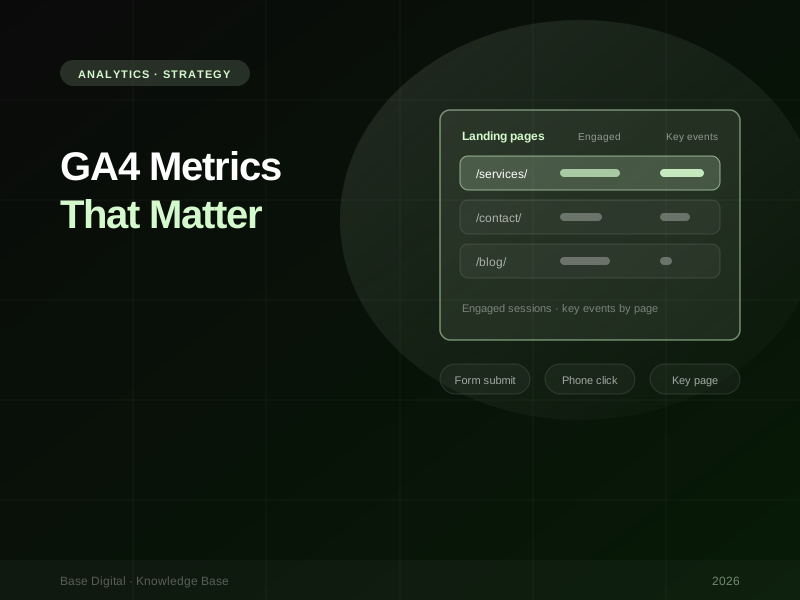
The landing page report shows where sessions begin. Add engaged sessions and key events as columns and it becomes one of the most valuable views in GA4. You can see which pages bring people in, which keep them, and which actually produce enquiries or sales.
Look for three patterns:
- High traffic, low key events. The page attracts the right volume but isn't converting. That's usually a messaging, offer or call-to-action problem.
- Low traffic, high key events. The page works but nobody finds it. That's an SEO, internal linking or paid traffic opportunity.
- Low engagement across the board. Check the page on mobile, check load speed, and check whether the traffic source matches the page's promise.
2. Attribution and conversion paths
Most people don't convert on their first visit. They find you through search, come back through a social ad, then convert after typing your URL directly. GA4's Advertising section is where you see that journey. The attribution paths report (in the Advertising section; the exact menu has moved around in recent GA4 updates) shows the sequence of channels that led to a key event, and the attribution model comparison helps you see how credit shifts between channels.
This is the report that settles arguments about whether a channel is "working". Paid social might rarely get last-click credit yet appear early in a large share of converting paths. Cutting it based on last-click data alone can quietly shrink the top of your funnel.
3. Retention and cohorts
For eCommerce, subscriptions, memberships or any business that relies on repeat visits, the retention report and cohort explorations show whether people come back. Grouping users by the week or month they first arrived lets you see whether a campaign brought in people who stuck around or people who never returned. A campaign with a higher cost per acquisition but better retention can easily be the better investment.
What you can safely ignore
- Realtime, most of the time. It's handy on launch day to confirm tracking fires and a campaign is live. Beyond that, minute-by-minute numbers don't support decisions and invite overreaction.
- Default channel groupings, as they come. GA4's default channel group is a reasonable starting point, but it often lumps traffic in ways that don't reflect how you market. Inconsistent UTM tagging can push paid social into "Referral" or "Unassigned". Clean up your UTMs and create a custom channel group that mirrors your actual channels.
- High-level overview cards. The home and overview reports are summaries, and summaries hide the detail you need. Total users rising doesn't tell you whether the right people are arriving or whether they're doing anything.
Build one report you'll actually use. Rather than opening a dozen standard reports, create a single exploration or Looker Studio view with landing pages, channels, engaged sessions and key events. If it fits on one screen, it gets looked at.
Set up events that reflect real outcomes
GA4's enhanced measurement collects some interactions automatically, including page views, scrolls, outbound clicks and some form interactions. It's a useful baseline, but it's generic. It doesn't know which form matters, which page is your most important, or which outbound link represents a referral to a booking partner. That's where Google Tag Manager comes in.
We set up tracking with Google Tag Manager for most client sites, because it lets us define events precisely without editing site code every time something changes. The events we prioritise are:
- Form submissions. Track successful submissions, not button clicks. A thank-you page view or a confirmed success message is far more reliable than a click on "Send". If you have several forms, pass a parameter identifying which one was used.
- Phone clicks. Clicks on
tel:links are often the main conversion on mobile for service businesses. If you don't track them, your mobile performance will look worse than it is. - Key page views. Views of pages that signal intent, such as pricing, booking, contact or a specific service, are worth tracking as events in their own right.
- Scroll on key content. Rather than tracking scroll depth everywhere, track it on the pages where reading matters, like a long-form service page or a case study. It tells you whether the content you invested in is actually being read.
- High-value outbound clicks. Clicks to a booking platform, an online application, a partner store or an app download. These leave your site, so without tracking they disappear from your data.
Mark only the events that represent genuine business outcomes as key events. A form submission or a phone call should be a key event. A scroll on a blog post usually shouldn't. If everything is a key event, nothing is, and if those key events flow into Google Ads, you'll be teaching the bidding algorithm to chase the wrong behaviour.
Turning metrics into decisions
A good monthly analytics review answers a small set of questions:
- Which channels and landing pages produced key events this month, and how does that compare to last month and last year?
- Which high-traffic pages are underperforming on key events, and what will we change?
- Which channels appear in converting paths even when they don't get last-click credit?
- Is tracking still working? A sudden drop to zero is almost always a broken tag, not a broken business.
Pair GA4 with Google Search Console for the organic side of the picture. GA4 tells you what visitors did once they arrived. Search Console tells you which searches showed your pages and how often people clicked. Together they show the full path from query to enquiry.
The bottom line
GA4 rewards focus. Track the handful of actions that genuinely matter to your business, mark them as key events, and spend your time in the landing page, attribution and retention reports rather than the overview cards. Treat GA4 as its own baseline and stop comparing it to Universal Analytics.
For the search side of your reporting, read our guide to Google Search Console. If you'd like help turning your analytics into a clear plan, talk to us about digital strategy.