
Most Google Ads accounts don't fail in one dramatic moment. They drift. A tracking tag stops firing after a website update, a recommendation gets auto-applied, a broad match keyword starts matching searches nobody intended, and six months later the account is spending the same budget for noticeably less return.
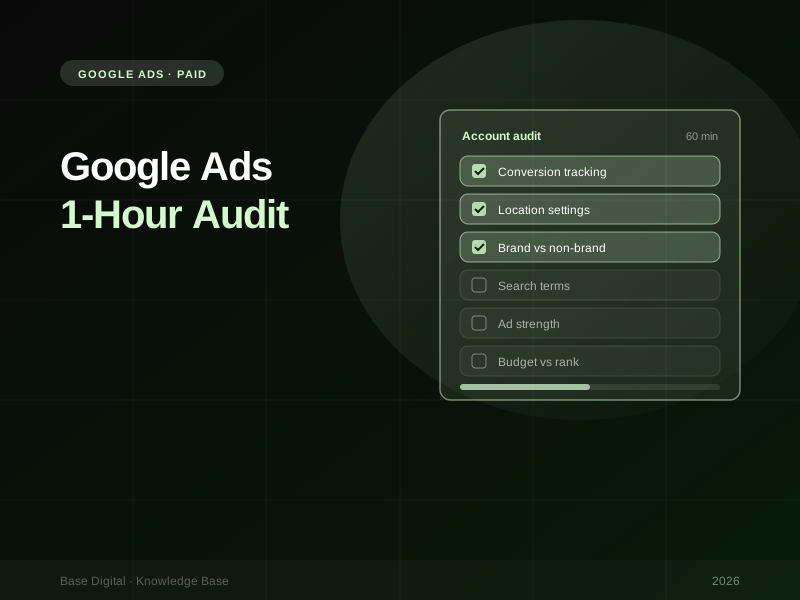
You don't need a week-long deep dive to catch most of that. A focused hour, worked through in the right order, will surface the problems that cost the most money. This is the checklist we use when we first look at an account, broken into five blocks. Work top to bottom, because each block depends on the one before it: there's no point judging keywords if the conversion data behind them is wrong.
Before you start, set the date range to the last 90 days (long enough to smooth out noise, recent enough to be relevant) and have a notes doc open. The goal of the hour is a prioritised list of fixes, not to fix everything on the spot.
Block 1: Account settings and tracking (15 minutes)
This is the block people skip, and it's the one that matters most. Every other number in the account depends on it.
Conversion tracking
- Check what's counted as a conversion. Go to Goals and review every conversion action. Which ones are marked as primary? Only primary actions are used for bidding, so they should be real business outcomes: purchases, qualified enquiries, booked calls. Page views, scroll depth or clicks on a phone number usually belong as secondary.
- Run a test. Submit your own enquiry form or place a test order, then confirm the conversion appears (allow for reporting delay). Check the status column too. Anything showing as inactive or unverified needs investigating.
- Look for double counting. A common pattern is the same purchase being tracked by both a Google Ads tag and an imported GA4 key event, with both set to primary. That quietly inflates results and misleads Smart Bidding.
- Review conversion windows and counting. The click-through conversion window should reflect how long your customers really take to decide. Leads are usually best counted as "One" per click; purchases as "Every".
- Confirm enhanced conversions are on. Enhanced conversions send hashed first-party data, such as the email address entered in a form or checkout, so Google can match more conversions back to ad clicks. For lead generation, enhanced conversions for leads is also the modern way to bring CRM outcomes back into the account.
Location and account-level settings
- Location options. In each campaign's location settings, check whether targeting is set to "Presence or interest" or "Presence". Google's default is Presence or interest, which can show your ads to people who have simply shown interest in your area. For a local service business that only works in Brisbane, "Presence" (people in, or regularly in, your targeted locations) is usually what you actually want.
- Auto-applied recommendations. Open Recommendations, then Auto-apply, and look at the History tab. You'll see which recommendation types are switched on and how often they've been applied. You can untick any of them from the same screen. We're not against every recommendation, but anything that adds keywords, changes match types or alters bidding should be a deliberate decision, not a background process.
- Change history. Skim the last few months. Big changes made by people who've left the business, or by tools, often explain performance shifts nobody can account for.
"If the conversion data is wrong, every other optimisation in the account is pointed in the wrong direction."
Block 2: Campaign structure (10 minutes)
Structure decides how much control you have over budget and how clearly you can read results. You're looking for campaigns that mix things which should be kept apart.
- Brand vs non-brand. Searches for your own business name convert at a very different rate and cost from generic searches. If they share a campaign, brand traffic flatters the averages and hides how non-brand is really performing. Split them.
- Shopping and Performance Max. If you run both, understand how they overlap and keep their reporting separate. Don't judge them as one blended number.
- Remarketing vs prospecting. People who've already visited your site behave differently from new audiences. Mixing them makes it impossible to tell whether you're finding new customers or just re-buying existing ones.
- Ad group themes. Each ad group should hold a tight set of related keywords that a single set of ads and one landing page can answer. Ad groups with dozens of loosely related keywords are a sign the account has grown without a plan.
Performance Max checks for 2026
Performance Max has become far less of a black box. While you're in structure, check:
- Search terms. Performance Max now has its own search terms report, found in the Search terms report under Insights and reports in the Campaigns menu. Review it the same way you would a Search campaign, and use campaign-level or account-level negative keywords to stop irrelevant queries on Search and Shopping inventory.
- Brand exclusions. If you run a separate brand Search campaign, consider brand exclusions in Performance Max so it isn't taking credit for people who were already searching for you.
- Asset groups and final URL settings. Check which pages Performance Max is allowed to send traffic to, and that asset groups are themed rather than one catch-all group.
Block 3: Keywords and search terms (15 minutes)
This is where the fastest savings usually live.
The search terms report
If you only do one thing from this checklist every month, make it this. Open the search terms report, sort by cost, and read down the list. You're looking for:
- Searches that have nothing to do with what you sell (add them as negatives)
- Searches from people looking for jobs, free versions, DIY instructions or a competitor's support line
- Strong-performing searches that aren't yet keywords in their own right (add them, so you can control bids and ads)
Build shared negative keyword lists for themes that apply across the account, such as "jobs", "free" or "salary", rather than adding the same negatives campaign by campaign. Reviewing search terms and adding negatives regularly is consistently the highest-impact routine task in any Search account.
Keywords that spend without converting
Filter keywords to those with meaningful spend and zero conversions over the 90-day range. For each, ask whether it's genuinely irrelevant, whether it's sending people to the wrong page, or whether it's a top-of-funnel term that helps elsewhere. Pause, restructure or move it to its own budget accordingly. Don't pause everything blindly, but don't let them run indefinitely on hope either.
Match types
Broad match can work well alongside Smart Bidding and good conversion data. Without those two things, it tends to wander. If an account uses broad match on manual bidding, or with unreliable tracking, that's a priority fix.
Write it down, don't fix it yet. The temptation in an audit is to start pausing things as you go. Resist it. Note every issue with the likely cost and effort, then fix in priority order once the hour is up. Changing bid strategy settings mid-audit also restarts the learning period.
Block 4: Ads, assets and landing pages (10 minutes)
- Ad strength. Check every responsive search ad. Ad strength (Poor through to Excellent) is a guide, not a ranking factor. Google says it isn't used to calculate Ad Rank or Quality Score. But "Poor" usually means repetitive headlines that give the system little to work with.
- Asset performance. The asset report now shows full metrics for each headline and description, including impressions, clicks and conversions. Replace assets that rarely serve or clearly underperform, and avoid pinning everything, which removes the system's ability to test combinations.
- Extensions (assets). Make sure sitelinks, callouts, structured snippets, call and location assets are in place and current. Outdated offers and dead sitelinks are surprisingly common.
- Ad-to-landing-page match. Click through from your top-spending ads. Does the page deliver exactly what the ad promised? An ad for "emergency plumber Brisbane" that lands on a generic homepage wastes the click. Check mobile load speed while you're there.
Block 5: Bidding and budget (10 minutes)
- Strategy fit. Is each campaign using a bid strategy that matches its data? Smart Bidding needs a steady flow of conversions to learn from. A campaign with only a handful of conversions a month may struggle to exit learning. Our Smart Bidding guide covers how to choose and set targets.
- Bid strategy status. Look for "Learning", "Limited by budget" or "Limited by target". Each tells you what's holding the campaign back.
- Impression share lost to budget vs rank. Add the Search lost IS (budget) and Search lost IS (rank) columns. Losing share to budget on a profitable campaign is an opportunity to spend more. Losing share to rank points to ad quality, landing page experience or bids, and throwing budget at it won't help.
- Budget allocation. Compare where the money goes with where the results come from. It's common to find the best-performing campaign capped while a weaker one has room to spare.
Turning the hour into an action plan
By the end you should have a list of issues. Sort them into three groups:
- Fix today: broken tracking, double-counted conversions, wrong location settings, obvious wasted search terms.
- Fix this month: structural splits such as brand and non-brand, ad rewrites, landing page mismatches.
- Test and monitor: bid strategy changes, match type expansion, budget reallocation. Make these one at a time so you can see what worked.
Then put a recurring reminder in the calendar. A search terms review every couple of weeks and a full run-through of this checklist each quarter will keep most accounts from drifting.
The bottom line
A good audit isn't about finding clever tricks. It's about confirming the basics are true: the account is counting the right conversions, showing ads to the right people in the right places, and spending money on searches that can actually turn into customers. Most of the waste we find sits in those basics.
If you want to see the mistakes that come up again and again, read the most common paid ads mistakes. Or if you'd rather have us run the audit for you, talk to us about Google Ads management.