Most advertisers have an opinion about Smart Bidding, and plenty of those opinions were formed years ago after a campaign went sideways. The product has changed a lot since then. In 2026, automated bidding is the default for almost every campaign type in Google Ads, and the question is no longer whether to use it but how to set it up so it works for your business rather than against it.
Here's how we approach Smart Bidding: which strategy to pick, how to set targets, what actually happens during the learning period, and the data that makes the difference between a campaign that scales and one that quietly burns budget.
How Smart Bidding actually works
Smart Bidding uses Google's machine learning to set a bid for every individual auction. Instead of one bid per keyword, it looks at the signals attached to each search: device, location, time of day, the exact query, browser, audience lists, past behaviour and many more. Crucially, it weighs those signals in combination, which is something no manual bid adjustment can do.
That's its real advantage. A manual bidder can raise bids for mobile, or for Brisbane, or for weekday mornings. Smart Bidding can recognise that a returning visitor on a laptop in Brisbane searching a specific product at 9pm is far more likely to convert than the average click, and bid accordingly.
"Smart Bidding is only ever as smart as the conversion data you give it."
Choosing the right strategy
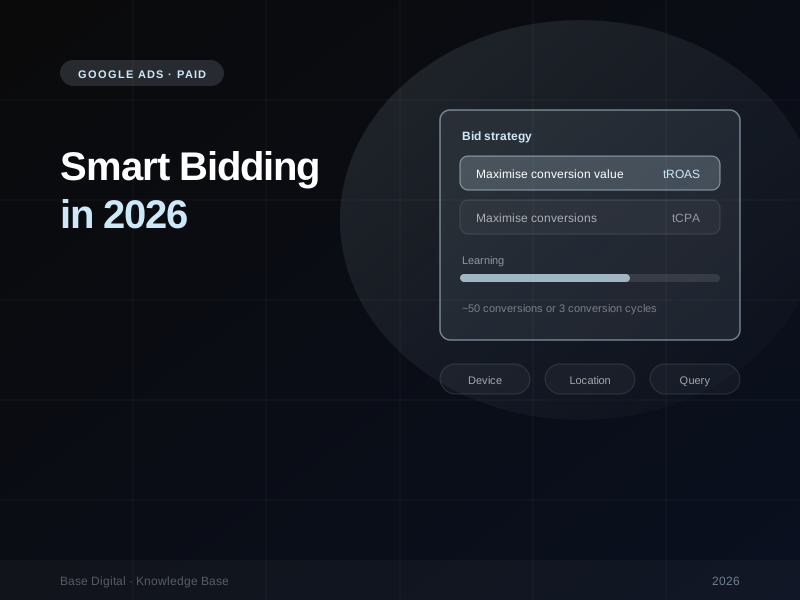
Google's bid strategies now come down to two families, each with an optional target:
- Maximise conversions, optionally with a target CPA (cost per acquisition). Best when every conversion is worth roughly the same to you, such as lead generation, enquiries, bookings or sign-ups.
- Maximise conversion value, optionally with a target ROAS (return on ad spend). Best when conversions vary in value, which is almost always the case for eCommerce, and increasingly for lead generation once you start valuing leads properly.
Without a target, the strategy simply tries to get the most conversions (or value) it can for your budget. That's useful for a new campaign that needs to gather data. Adding a target tells Google what efficiency you need, and it will hold back spend on auctions that don't meet it.
A simple rule of thumb: if you can't say with confidence that a sale or lead from one campaign is worth more than another, start with target CPA. If you can pass real values, such as order revenue or a lead's likely worth, value-based bidding will almost always serve the business better.
Setting targets you can live with
The most common mistake we see is setting an aggressive target on day one. Ask for a $40 CPA on a campaign that has historically delivered leads at $70, and Google will simply stop entering most auctions. Spend drops, volume disappears, and the conclusion is usually "Smart Bidding doesn't work".
- Start near your real history. Google's own guidance is to set targets close to your historical CPA or ROAS, not an artificially ambitious one.
- Watch for "Limited by target". This status means your target is constraining delivery. Loosen it (raise the tCPA or lower the tROAS) if you need more volume.
- Move in steps, then wait. Change targets gradually and give each change at least one full conversion cycle before judging it.
The learning period, explained
Whenever you launch or significantly change a bid strategy, it enters a learning period while it recalibrates. Google says this can take up to around 50 conversion events or three conversion cycles, depending on how much data is available. A conversion cycle is how long it typically takes someone to convert after clicking, which could be minutes for an online order or weeks for a high-value service.
A new learning period is triggered when:
- A bid strategy is created or switched back on
- Any bid strategy setting is changed, including the target
- Campaigns, ad groups or keywords are added to or removed from a portfolio strategy
Two things follow from this. First, every tweak resets the clock, so batching changes is far better than making a small adjustment every few days. Second, low-volume campaigns take much longer to learn. If a campaign only produces a handful of conversions a month, consider combining similar campaigns or using a portfolio strategy so the algorithm has more data to work with.
Don't judge week to week. Conversions are often reported days after the click. Look at performance over a rolling 30 days, and use the conversion estimates in the bid strategy report, which allow for conversion delay, rather than raw recent numbers.
Feed the algorithm better data
This is where most of the real gains are. Smart Bidding optimises towards whatever you tell it a conversion is, so the quality of that signal matters more than any setting.
1. Bid on the right conversion
Only your primary conversion actions are used for bidding. Make sure they're the outcomes that matter: a purchase, a qualified lead or a booked call. Page views, scroll depth and newsletter sign-ups belong as secondary actions. Pick the lowest-funnel action that still has enough volume. If true sales are too rare, a qualified-lead event is usually a better target than a raw form fill.
2. Turn on enhanced conversions
Enhanced conversions send hashed first-party data, such as an email address from a checkout or enquiry form, so Google can match more conversions back to ad clicks. With cookie restrictions and browser privacy changes, it's one of the simplest ways to stop the algorithm flying blind.
3. Import offline conversions
If your sales happen off the website, in a CRM, over the phone or in person, import those results back into Google Ads. A lead-gen campaign optimising towards form fills will happily find you cheap, low-quality enquiries. One optimising towards leads that became customers will find you better ones.
4. Pass real values
Value-based bidding needs values that reflect the business. For eCommerce, that's revenue at a minimum and ideally profit margin. For lead generation, assign values by lead type or service line. If every conversion carries the same value, target ROAS has nothing meaningful to optimise towards.
Tools worth knowing about
- Seasonality adjustments. Use these for short, unusual spikes, such as a three-day flash sale, where you expect conversion rates to jump. Recurring events like Black Friday are already built into Google's models.
- Data exclusions. If your tracking breaks or a site outage tanks conversions, exclude those dates so the algorithm doesn't learn from bad data.
- Smart Bidding Exploration. Available for target ROAS campaigns, this lets you widen your ROAS range so Google can test new, unproven search queries. It started in Search and now also covers Performance Max and Shopping campaigns. It's useful when a campaign has plateaued on the same queries.
- Campaign total budgets. Set one budget across a fixed date range for promotions, launches and events, rather than juggling daily budgets.
Common Smart Bidding mistakes
- Changing too much, too often. Every change restarts learning. Make deliberate changes, then leave them alone.
- Budget as the bottleneck. If your budget runs out by lunchtime, Smart Bidding can't pick the best auctions across the day. The target should be what limits spend, not the budget.
- Optimising for the wrong conversion. Counting phone-number clicks or page views as primary conversions teaches Google to find people who click, not people who buy.
- Judging too early. A bad first week during learning is normal. Decide on a rolling 30-day view.
- Ignoring search terms. Automation doesn't replace housekeeping. Review search terms and add negatives regularly.
When manual bidding still makes sense
There are still a few situations where we'd hold off: a brand-new account with no conversion tracking yet, campaigns with so little volume they'll never exit learning, and very short promotions where historical data is misleading. In those cases, Maximise clicks or manual CPC can bridge the gap while you build data. For everything else, a properly set-up Smart Bidding strategy should outperform manual bidding over any reasonable time frame.
The bottom line
Smart Bidding isn't a set-and-forget button, and it isn't a black box either. Pick the strategy that matches how your business makes money, set realistic targets, give it time to learn, and above all, feed it conversion data that reflects real outcomes. Get those right and the algorithm becomes your best bid manager.
Running into the same mistakes over and over? Read the most common paid ads mistakes, or if you'd like a second set of eyes on your account, talk to us about Google Ads management.